🚀 Your Trusted Digital Partner 🌍 • 💻 Professional Website Design • 🎯 Google Ads Management • 📍 Google Business Profile SEO • 🔍 Local SEO • 🛒 E-Commerce Solutions • 📈 Business Growth Strategy • 🛠️ Annual Website Maintenance • 🤝 Yearly Support Contract • 🕒 24/7 Expert Technical Support • 🔒 Security Updates • ⚡ Speed Optimization • 💾 Website Backup & Monitoring • 👨‍💼 Dedicated Account Manager • 🌐 JunedWeb.com

Business POS Software for UAE Shops

Billing, VAT invoices, stock and reports in one simple system. Choose your business type and start free for 15 days.

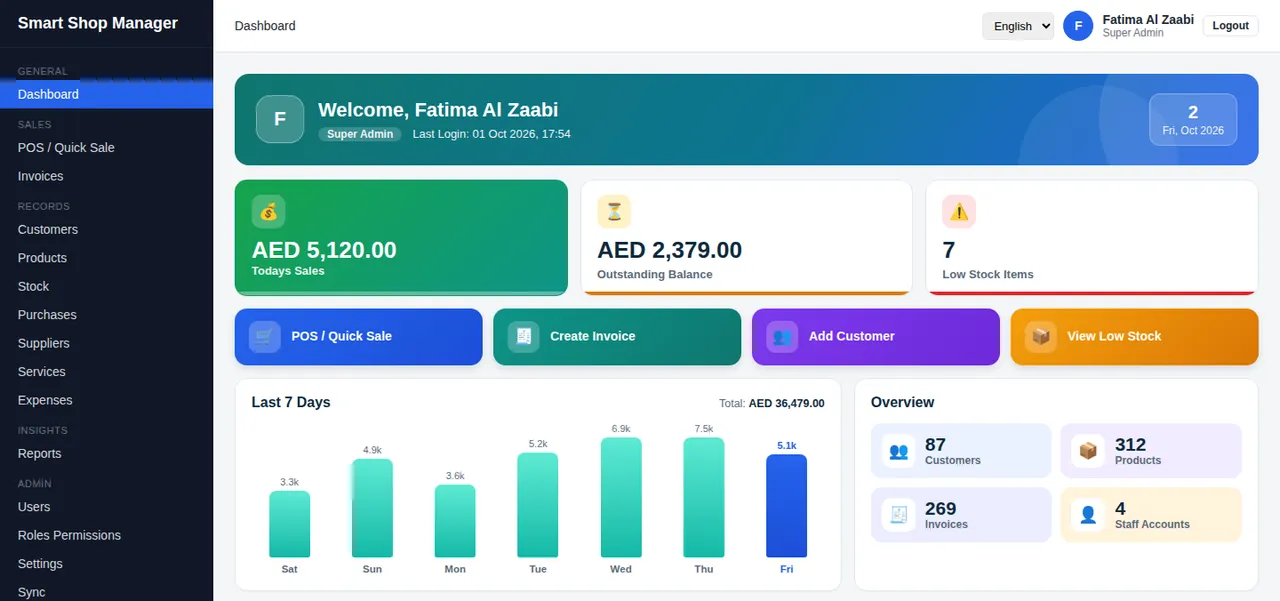
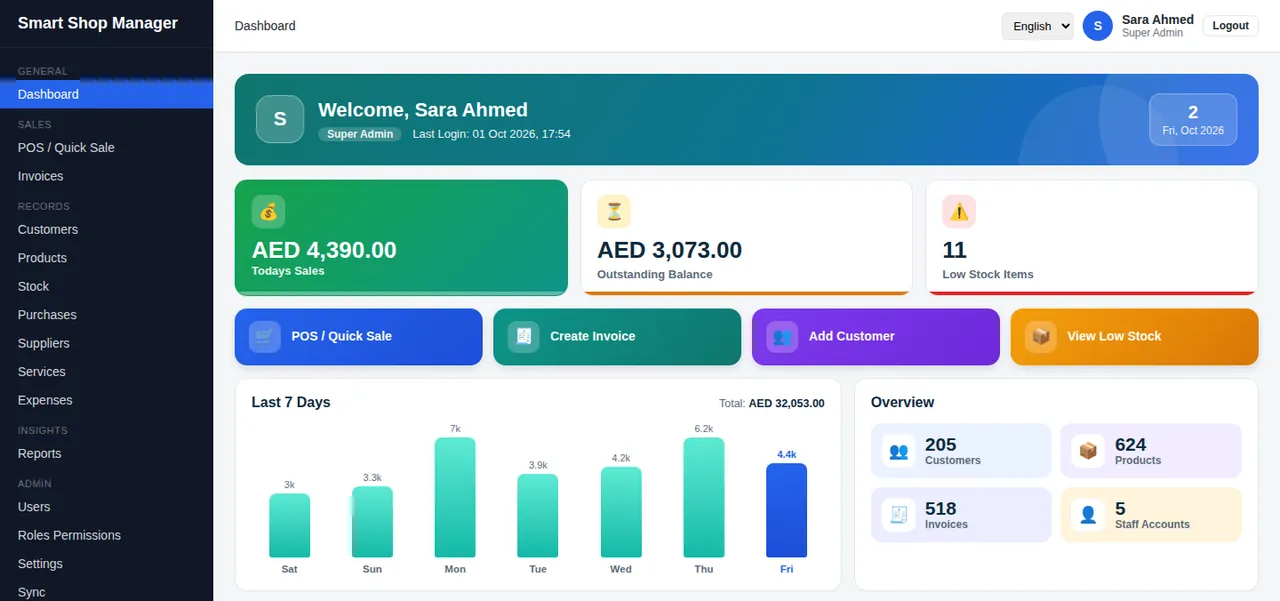
Smart Shop Manager business dashboard showing today's sales, outstanding balance, low stock and a 7-day sales chartSmart Shop Manager dashboard on a mobile phone
  • 15 daysfree trial, no card needed
  • $150per year, all features
  • 6 languagesincluding Arabic
  • 5 business typeswith their own menus and fields

Everything your shop runs on, in one place

From the first sale to the monthly report, Smart Shop Manager covers the daily work of a small or medium shop.

A POS that keeps up with your counter

Search by name, SKU, brand, colour code or barcode. Tap products, pick or add a customer, take payment and print the bill.
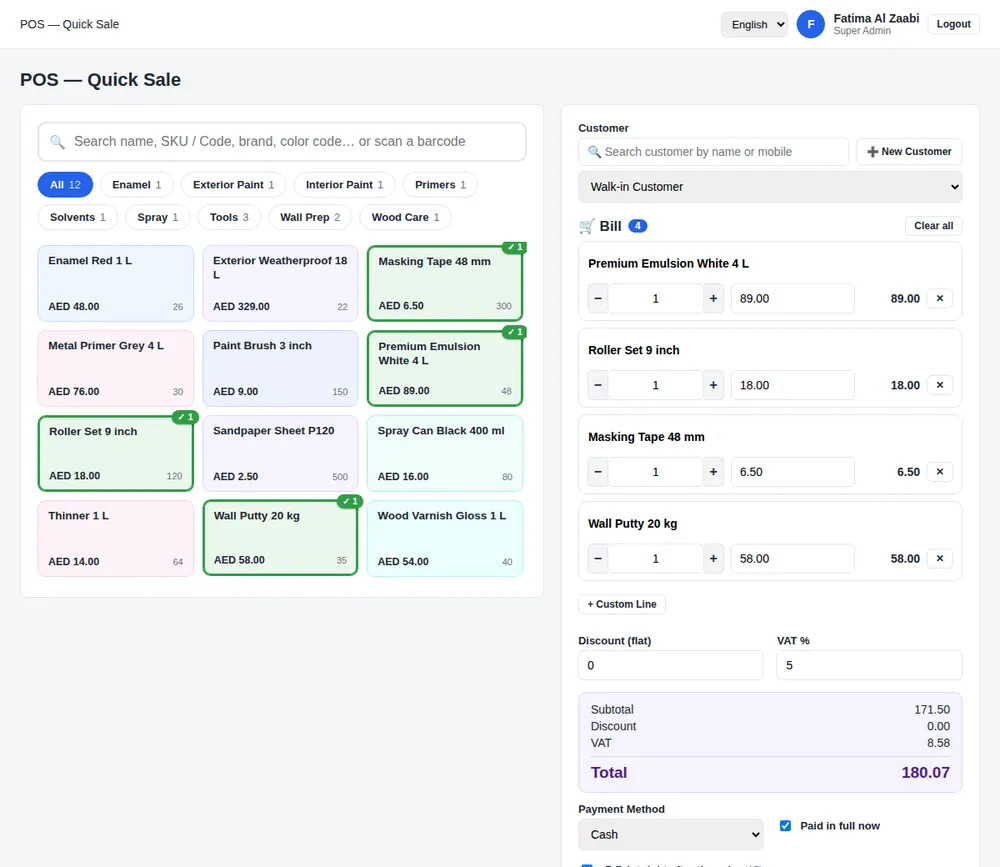

Quick Sale POS screen with product search, category buttons and a bill with VAT

VAT invoices that look professional

Tax invoice with your TRN, VAT per line, amount in words and a QR code to verify. Print on A4, A5, 80 mm or 58 mm paper, or save as PDF.
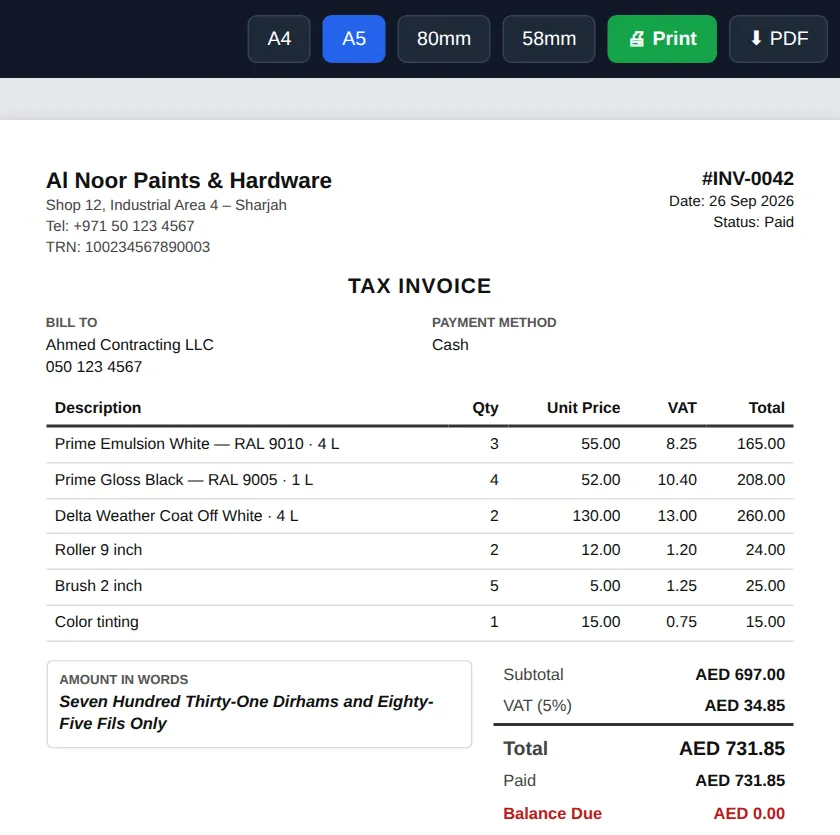
Sample A5 tax invoice with TRN, VAT, amount in words and paper size buttons

Stock and purchases

Stock goes down with every sale. Get low-stock alerts, record supplier purchases and check the full stock history.

Customers and quotations

Keep customer records, send a quotation by email and turn it into an invoice in one click.

Expenses and reports

Track expenses by category, see sales and stock reports, export to Excel and download a full data backup.

Staff and permissions

Give each person a role. A cashier sees the POS, an owner sees everything. Every action is logged.

Six languages

Switch the whole system between English, Arabic, Urdu, Bengali, Hindi and Persian.

Made for your kind of shop

Choose your business type when you sign up. The menus, product fields and units change to fit how your shop works.

For garages and service workshops

Register customer vehicles and attach them to invoices, so every job has a plate number and history.
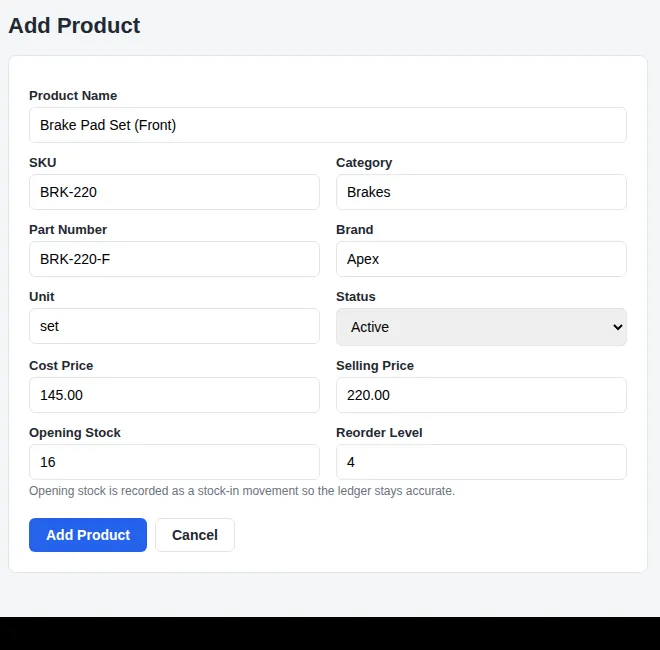
  • Vehicles menu with plate, make and model
  • Vehicle details on the invoice
  • Services list for labour and jobs
  • Parts with part number and brand
Product fields
  • Part Number
  • Brand
Units
  • pcs
  • ltr
  • set
  • box
  • kg
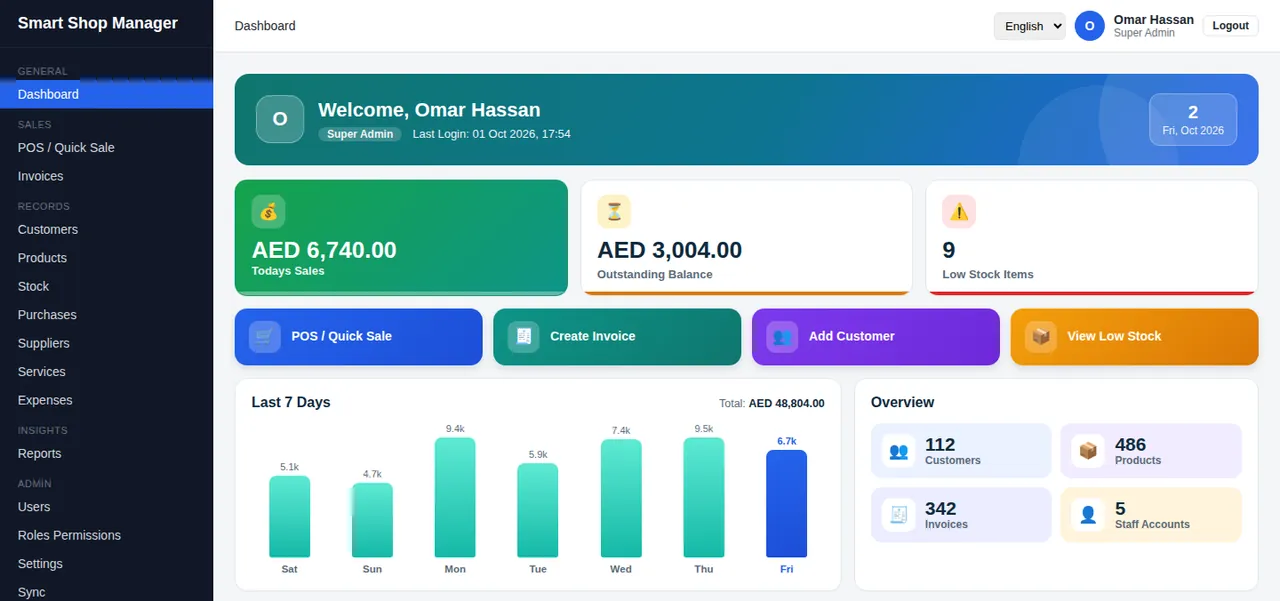
Dashboard of a servicing workshop with vehicles, customers, invoices and 7-day salesAdd Product form for a servicing shop with part number and brand fields

For hardware and building material shops

Sell by the piece, metre, roll or bag, and record the size or specification of every item.
  • Size and specification on each product
  • Units for pipes, wire, cable and bags
  • Fast search by code or name
  • Low-stock alerts per item
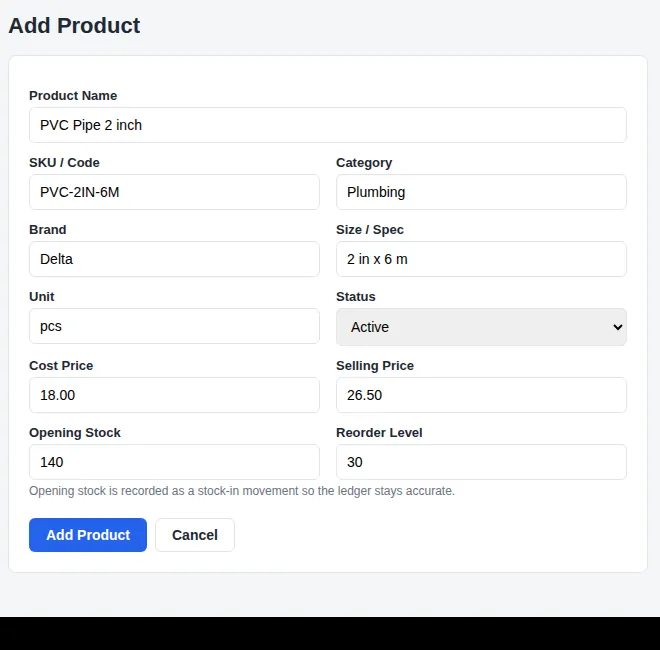
Product fields
  • Brand
  • Size / Spec
Units
  • pcs
  • kg
  • box
  • meter
  • feet
  • roll
  • bag
  • set
Dashboard of a hardware shop with customers, products, invoices and 7-day salesAdd Product form for a hardware shop with brand and size fields

For paint and decoration shops

Keep colour codes and pack sizes with every product and find a tin by brand or colour code at the counter.
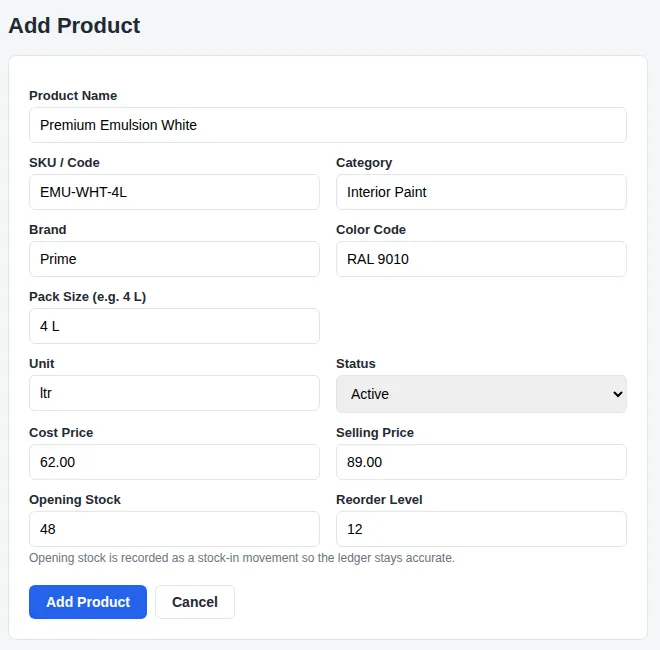
  • Colour code and pack size on each product
  • POS search by colour code
  • Litre, gallon, can and bucket units
  • Brushes, rollers and tools in the same list
Product fields
  • Brand
  • Color Code
  • Pack Size
Units
  • ltr
  • gallon
  • can
  • bucket
  • pcs
  • kg
  • box
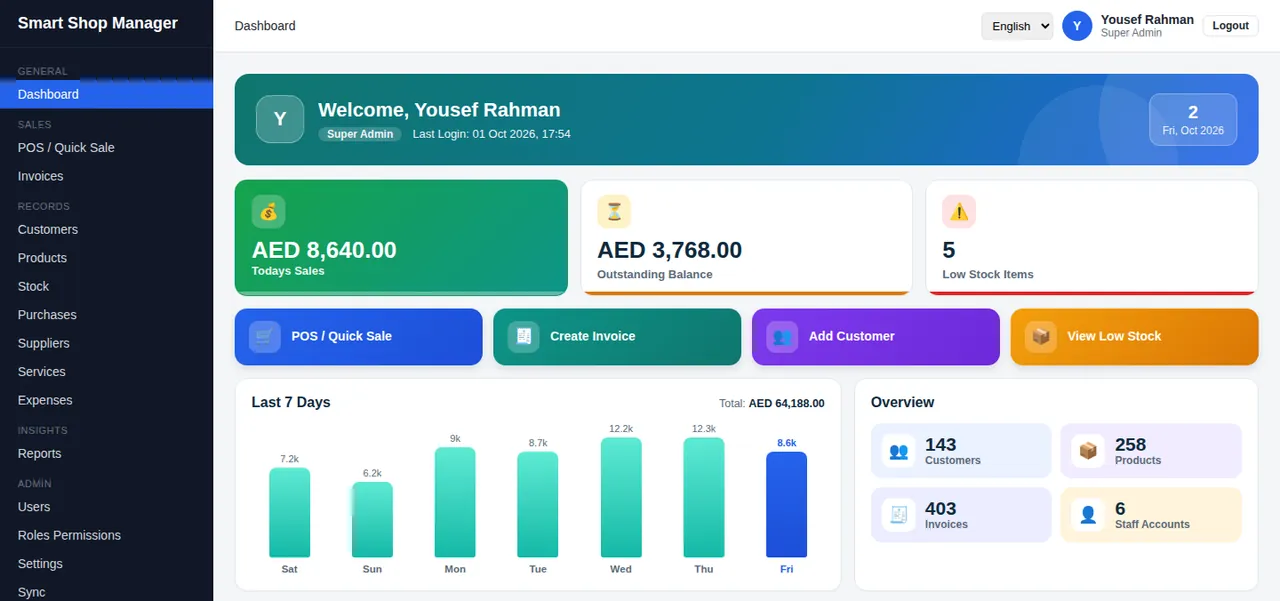
Dashboard of a paint shop with customers, products, invoices and 7-day salesAdd Product form for a paint shop with brand, colour code and pack size fields

For electronics and mobile shops

Record model and warranty months for each item and scan barcodes at the counter.
  • Model and warranty on each product
  • Barcode in the SKU field
  • Accessories and spare parts in one list
  • Customer records for repeat buyers
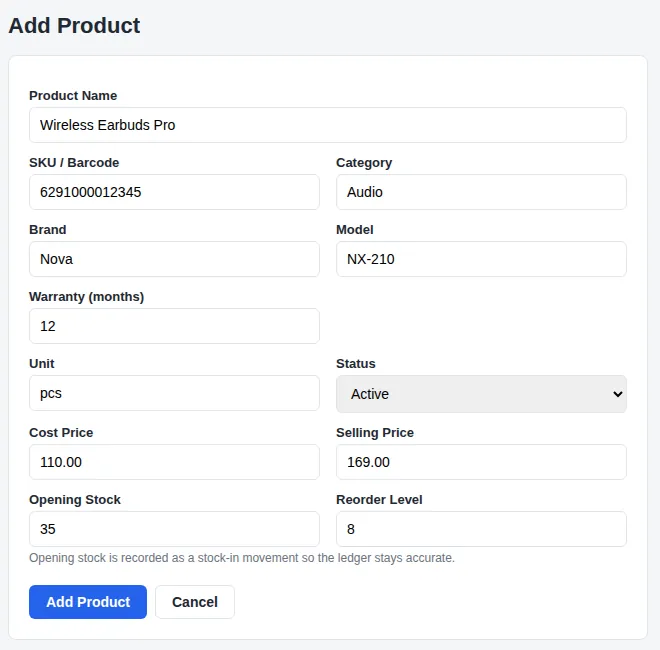
Product fields
  • Brand
  • Model
  • Warranty (months)
Units
  • pcs
  • set
  • box
  • meter
Dashboard of an electronics shop with customers, products, invoices and 7-day salesAdd Product form for an electronics shop with brand, model and warranty fields

For grocery and general stores

A simple setup for fast-moving shelves: barcode, brand, pack units and a clear stock count.
  • Barcode or code on every product
  • Units like pack, dozen and kg
  • Quick sale for walk-in customers
  • Daily sales on the dashboard
Product fields
  • Brand
Units
  • pcs
  • kg
  • ltr
  • box
  • pack
  • dozen
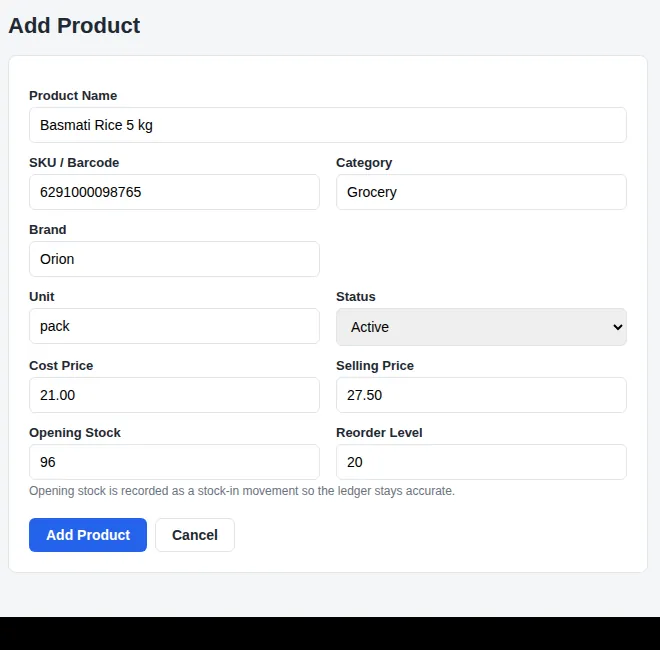
Dashboard of a general store with customers, products, invoices and 7-day salesAdd Product form for a general store with a brand field
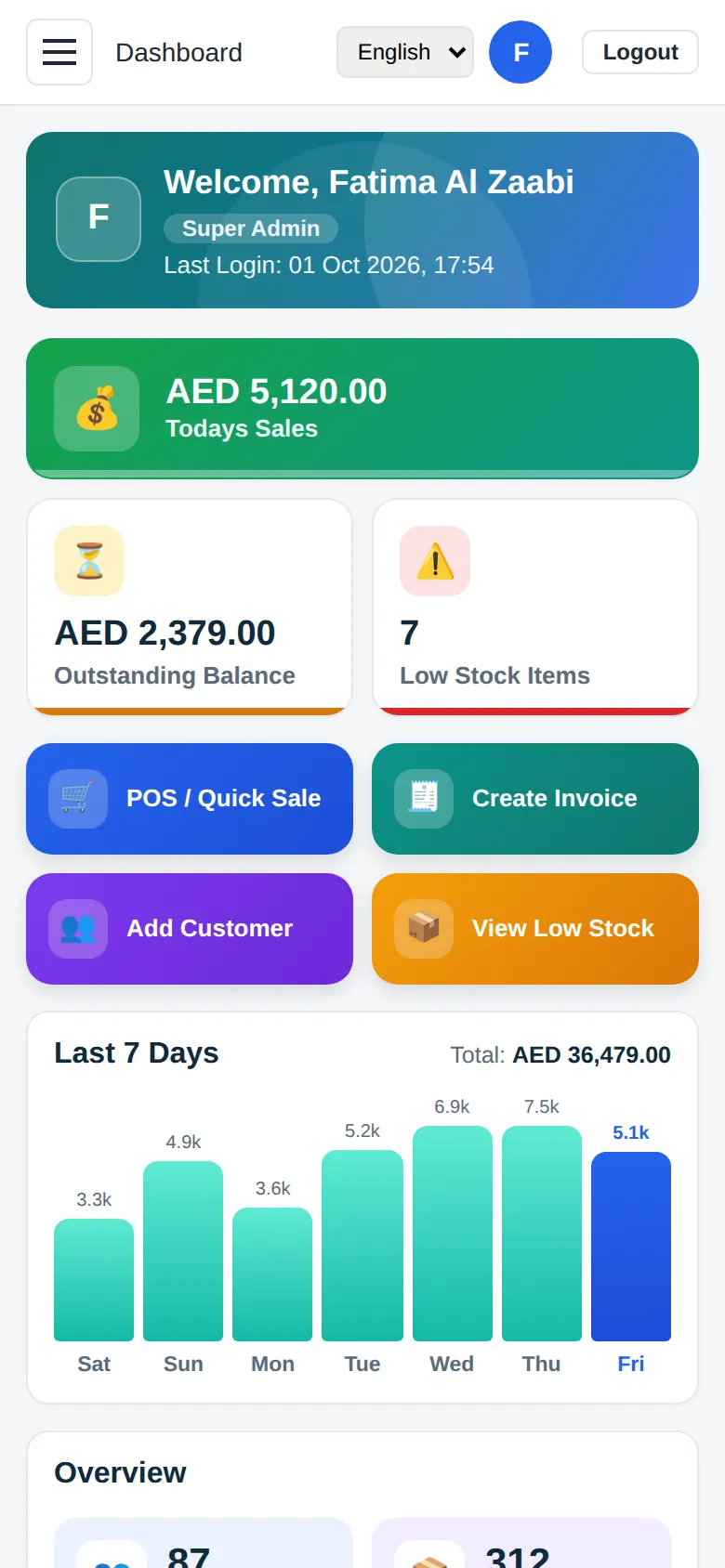
Smart Shop Manager dashboard on a phone with sales, balance and quick action buttons

A dashboard you understand in five seconds

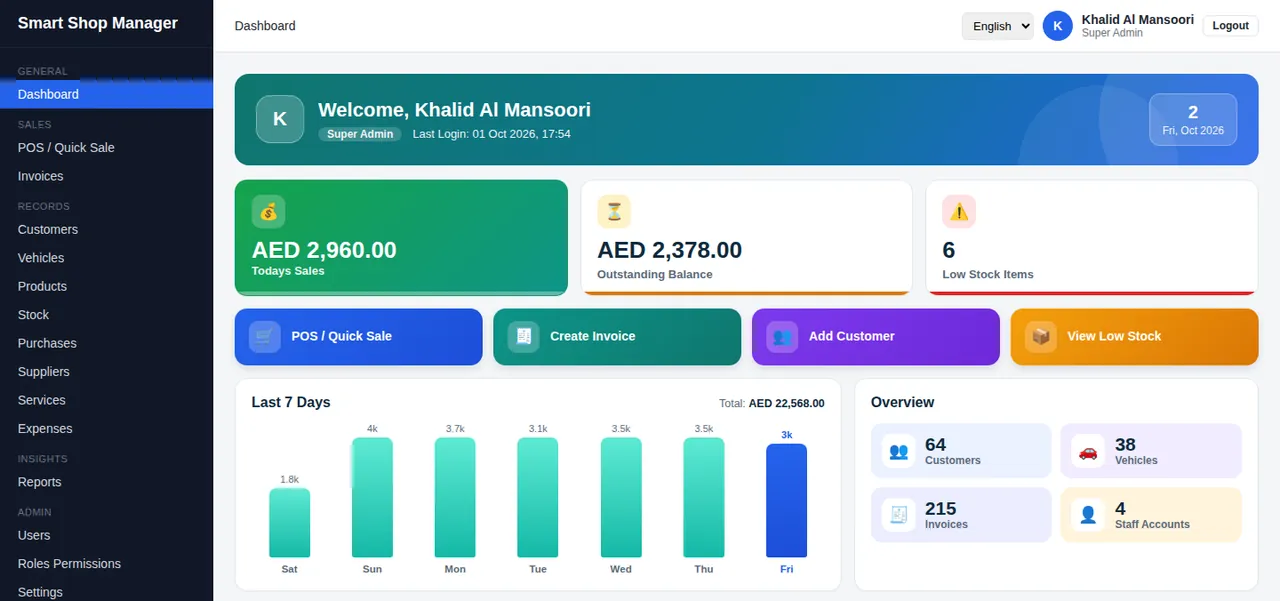
Open the system on your phone, tablet or computer and see how the day is going. No reports to build, no numbers to hunt for.

  • Today's sales

    The first card shows what you have sold today.

  • Outstanding balance

    See how much customers still owe you.

  • Low stock count

    Know what to reorder before a shelf is empty.

  • Quick action buttons

    Jump straight into a sale, a new invoice or a new customer.

See it working

Short videos that show a sale from start to finish.

Smart Shop Manager at a glance
How POS and invoicing work

Start your free trial in three steps

No card, no call, no waiting. Your 15-day trial starts the moment you create your account.

  1. Open the sign-up page

    Tap Start Free Trial. The sign-up page opens in your browser.

  2. Choose your business type

    Pick servicing, hardware, paint, electronics or general. Enter your shop name, your name, a username and a password.

  3. Log in and start selling

    You land on your own dashboard. Add your first product and make your first sale.

One plan with everything included

$150per year

No tiers and no add-ons. Try it free for 15 days, then continue for one simple yearly price.

What you get

  • POS and quick sale
  • VAT invoices and quotations
  • Stock, purchases and suppliers
  • Customers and expenses
  • Reports with Excel export
  • Staff roles and permissions
  • Unlimited users
  • Unlimited invoices
  • Six languages
  • Renews yearly

Questions shop owners ask

Cannot find your answer? Contact us and we will reply.

What is Smart Shop Manager?

Smart Shop Manager is a web-based business POS and management system. It handles billing, VAT invoices, quotations, stock, purchases, customers, expenses and reports for shops and workshops.

Which businesses can use it?

Servicing and workshop businesses, hardware shops, paint shops, electronics shops and general stores. You choose your business type at sign-up and the menus and product fields adapt.

How does the free trial work?

Create an account on the sign-up page and your 15-day free trial starts straight away. You do not need a credit card.

How much does it cost after the trial?

The price is $150 per year. To continue after the trial, contact us and we will help you activate your yearly plan so your work is not interrupted.

Is there a limit on users or invoices?

No. You can add as many staff users and create as many invoices as your business needs.

Does it support UAE VAT invoices?

Yes. Invoices are issued as tax invoices with your TRN, a VAT percentage (5% by default), VAT per line and the total amount in words.

Can I print receipts on a thermal printer?

Yes. You can print on A4, A5, 80 mm and 58 mm paper, set a custom receipt width, or save the invoice as a PDF.

Does it work on my phone?

Yes. It runs in any modern browser on a phone, tablet or computer. There is no app to install.

Can my staff have limited access?

Yes. Create roles and choose which sections each role can open. For example, a cashier can use the POS without seeing reports. Every action is recorded in an activity log.

Which languages are available?

English, Arabic, Urdu, Bengali, Hindi and Persian. Each user can switch the language from the top bar.

Can I take a backup of my data?

Yes. You can export a full backup of your shop data, and reports can be exported to Excel.

Can I use a barcode scanner?

Yes. The POS search box accepts a scanned barcode, so you can add items without typing.

Start your 15-day free trial

Set up your shop in minutes and make your first sale today. No credit card needed.